
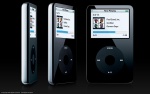
Friday I picked up a new iPod (60Gb, Black). I spent the weekend figuring out how to get video onto it from my Tivo, DVDs, etc. Here's what I've discovered, so far:
As I posted the other day, it's easy to download programs from your Tivo to your desktop. What isn't easy, on a Mac, is converting the shows to MPEG2 from the wrapper that Tivo puts them in. As I said in the earlier post DirectShop Dump will do that on a PC. You have to install the Tivo Desktop Connection first. I happen to have Virtual PC running on my OSX box, so I do that to avoid transferring multi-gigabyte files around. It's really pretty quick, even in Virtual PC.
Next I followed this instructions to use VLC to convert the video for use with the iPod. They worked for the most part. The result is an odd, square aspect ratio MPEG4 that is too big (vertical pixels) to load on the iPod. I loaded this up with Quicktime, changed the aspect ratio/pixel settings to 480x240 (see the Properties window), and then saved it out--that's pretty fast. I had a problem with VLC crashing on me over and over again for a while, but deleting my VLC preferences solved the problem.
For DVDs, I used a nifty little program called HandBrake. I resized them to be 320 pixels wide. Works pretty good, although I seem to be getting some audio glitches every 60-90 seconds. In a movie, their not too bad, but the Eagles Melbourne concert wasn't as nice as it could have been.
I have Quicktime Pro, which should work, but there are some problems. First, it won't play the MPEG2 files that DirectShow Dump (or Tivo) produces. I'm not sure why. Also, it's slooooooow. I used it to convert an hour of video on a G4 Powerbook and it took about 36 hours. VLC doesn't it in about an hour and twenty minutes.
I doubt I'll watch much TV on the iPod, but I do like to take shows I've Tivo'd on trips with me for the airplane or hotel room. My Powerbook works find for that, but sometimes the smaller form factor would be nice. I also want to try driving the TV from the iPod and see how that works. That would be nice as well.
Update: redoing the aspect ratio the video in Quicktime makes it look right in iTunes, but when you sync it with the iPod, you still get a weird tall aspect ratio on playback. I'm still exploring.



