
« Making IT Purchasing Decisions | Main | Adding Value By Taking Away Choice »
Buying Windows Vista
A while back, I posted links to reviews of Windows Vista. That page is getting quite a bit of play and undoubtedly, my flippant summary at the end isn’t much help for people trying to make buying decisions, so here’s my buying advice (with links to Amazon for easy purchasing).
First off, will Vista run on your computer? If you’re computer is reasonably new (last two years), then you’re probably OK. You’ll need gobs of memory, however—probably at least 1Gb of RAM. So, make sure you add that into the total purchase price if you decide to upgrade.
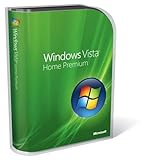
Now, the bad news is that there’s way too many editions of Vista and that’s sure to cause some confusion. For most people, there’s only two real choices: Windows Vista Ultimate or Windows Vista Home Premium. I never recommended XP Home edition to anyone, but the Vista Home Premium edition looks to be pretty good. (Don’t purchase the Home Basic edition.)
What does Ultimate have that Home Premium doesn’t? Here’s a list:
- Max memory of 128 Gb (vs 16Gb) in the 64-bit edition
- Windows ShadowCopy
- System image backup and recovery
- Encrypting File System (EFS)
- Windows BitLocker Full Drive Encryption
- Client only remote desktop
- IIS Web server
- Offline file and folder support
- Fax and Scan
If you can live without those, then settle for the Home Premium edition.
If you’re upgrading from Microsoft XP Media Center Edition or Windows XP Home Edition, you can get the upgrade edition of Vista Home Premium and save $90. If you’re upgrading from Microsoft XP Media Center Edition or Windows XP Home Edition / Professional, you can get the upgrade edition of Vista Ultimate and save $130!

Posted by windley on January 16, 2007 11:00 AM


Comment from Archeious at January 18, 2007 3:13 PM
I agree there are way to many version of Vista. As someone who will need to support it will make my job more difficult.
For those that don't know Windows ShadowCopy is a type of version control or backup, kind of. It allows you set set aside a adjustable amount of disk space for shadow copies. You can right click on a file and restore older versions of a file or you can right click on a folder a restore deleted files.
System Image Backup and Recovery backs up all the items not found in the file system. e.g. the registry
Offline file and folder support only really used by business laptop users. It allows you to synchronize a folder on the network with a folder on your desktop.
Comment from Paul Bell at January 22, 2007 1:07 PM
I would call to the people of the UK to boycott buying ANY versions of Vista until Microsoft charge a sensible price for it. Paying almost twice the price that the US pays for it is ridiculous and unjust!
Comment from Paul Bell at January 22, 2007 1:08 PM
I would call to the people of the UK to boycott buying ANY versions of Vista until Microsoft charge a sensible price for it. Paying almost twice the price that the US pays for it is ridiculous and unjust!
Comment from Steve H at January 30, 2007 3:14 PM
Maybe you should just complain to EU.
They are the ones who caused the prices.
Microsoft have to get their $$ back somehow.
Serves the EU right. They are the people who took the millions from Microsoft when they had no right to.
Good on Microsoft as well. I'm glad they can still stay in business after the EU did the deed.
Maybe ask EU for a discount using all the funds they snaffled from Microsoft?
Comment from john bunyan at February 2, 2007 5:52 AM
Why do people think they need this shit ? It serves absolutely no purpose whatsoever. What a waste.
Comment from Scott Weber at May 9, 2007 8:23 PM
Well, here it goes. I was skeptical about upgrading to Windows Vista because of the compatibility issues known for it as well as the amount of memory I would require. I have 1GB of RAM and it runs great! The install is a bit confusing if you're not computer savy. You MUST read EVERYTHING carefully to follow it and take your time reading it when it asks you something. I would recommend the UPGRADE version because it will keep everything you had, so no need to do back up. I think that Vista is more secure then XP and it runs a hell of alot better. I have not had anything lock up since upgrading. I use a software program for our business called ManageMore and it runs great. There were some bugs with ManageMore, but I was to anxious to buy Vista so, of course they had not caught up. It's fine now. Printers can be a challenge. If you have a receipt printer (40 column), you will probably have to wait another 6 months to a year before the drivers are ready. I can live with out mine for now. I like the new Media Center. It's not a memory hog, as I have been able to do many things while running it. Networking/Media Sharing is easy if you know what you're doing. I like the fact that it confirms critical decisions again before doing anything. I actually had someone try to hack in to our computers, and got a box asking if I wanted to allow them in, and I took great pleasure saying NO! I know that hackers will figure it out in no time flat. I would recommend Home Premium, you get a lot more for your buck. A friend of mine bought the Home Basic and it's useless.
Leave a comment
I encourage you to leave a comment below. Your email address will not be displayed on Technometria, but allows me to communicate with you directly. Your email address won't be displayed, but will be used to compute a MicroID for your comment.


