When I think about integrating AI into pico-based systems, the temptation is to imagine some deep architectural rework—a new runtime, a new protocol, some fundamental change to how rulesets execute. But I think the right starting point is already there in the architecture: events. Picos already send and receive events. Claude routines already listen for triggers and respond with actions. Connecting them is not a research problem; it is an integration problem, and a shallow one at that.
The simplest version looks like this: a pico fires an event, a Claude routine receives it via webhook, does some reasoning, and posts a response event back to the pico's event channel. The pico's ruleset handles the response the same way it handles any other event: routing it, acting on it, updating state. Nothing in this picture requires changes to the pico engine or the Claude API. Both sides speak events; the webhook is just the seam between them.
I saw this pattern clearly when I was building Fuse, the connected-car application built on picos. Fuse picos held the car's data and fired events when interesting things happened: location changes, diagnostic codes, ignition on and off. The missing piece, looking back, was anything that could reason over those events rather than just route them. An AI routine that receives a pico event carrying a diagnostic code and responds with an interpretation—or a question—is exactly the kind of capability Fuse needed and couldn't easily have in 2014. Fuse sent notifications, but bare notifications are not very useful to most people. An AI layer that enriches a location event with context ("you're near the dealership where your recall service is overdue") or translates a diagnostic code into plain language and a recommendation would have made Fuse dramatically more useful to drivers.
Project Neck Pain showed something similar from a different angle. That project used picos to hold personal health data: appointments, sensor readings, notes. The pico owned the data; it didn't live in some third-party health app's database. But ownership without intelligence is just storage. The interesting question was always: what should happen next? We built rules that would automate some of the drudgery of dealing with the healthcare system. But, it proved to be too brittle. AI changes that completely. An AI routine that receives an event—a symptom log, a missed appointment, a change in a sensor trend—and responds with an inference is not replacing the pico's role. It is extending it. The pico remains the locus of identity and state; the AI contributes reasoning that the ruleset alone can't do.
This suggests a natural progression for AI integration in pico systems.
The first step is the webhook pattern I described: AI as an external actor that exchanges events with the pico. This just uses the http:post() to call a URL.
The second step is tighter: rather than an external routine, a KRL action sends a request to Claude with a callback event URL, and a separate rule handles the response when it arrives asynchronously. This fits how picos actually work—rules fire in response to events, and Claude's processing times make a synchronous call inside a rule impractical. The callback event is the right model; Claude becomes a capability the ruleset can invoke, not a separate system to coordinate with by hand.
The third step is the one I find most architecturally interesting. At this stage, Claude uses pico query endpoints as tools to read and write persistent state across sessions. The pico is the memory. This matters because most AI memory schemes are ad hoc, using a database or even a Markdown file for memory. Picos already have the right structure: named, persistent, owned by a specific identity.
The fourth step follows from the third. If Claude holds a longer-running task and the pico holds the relevant state, then Claude can fire events into the pico graph to make things happen—not just to return data to the ruleset, but to orchestrate behavior using the pico's event channels the way a person would.
What makes this progression coherent is that picos already have the properties that make for an interesting AI integration.
They have persistent identity—each pico is a specific thing with a stable address.
They have owned state—the data inside a pico belongs to the pico, not to a platform that might revoke access or change terms.
And they are event-driven—which is exactly the interface AI systems are designed to plug into.
I've argued for years that picos are the right substrate for building systems where people and things control their own data. Adding AI reasoning to that substrate doesn't change the argument; it strengthens it. An AI that reasons on your behalf, over your data, stored in your picos, is a fundamentally different thing from an AI that reasons on your behalf using data held by someone else. The first is an agent working for you. The second is an administrative intermediary with a language model grafted on.
Picos form natural hierarchies. A car pico holds what the car knows; the household pico that owns it can query across all its children—car, health devices, calendar—and give an AI a cross-domain view that no flat memory store provides naturally. Each pico in the hierarchy can have its own AI context and reasoning scope, and parent picos can aggregate across children. That hierarchy also encodes privacy boundaries: an AI reasoning on behalf of the household can traverse the graph with appropriate permissions, but no external system can simply reach in. The ownership structure is not metadata bolted on; it is the architecture.
The webhook integration is worth building right now because it establishes the semantics that the deeper integrations depend on. Which events are meaningful enough to route to an AI? What does a useful response event look like? How does the ruleset act on it? Answering those questions with a simple prototype clarifies the architecture far better than designing it on paper. That is how picos got to where they are today, through real use cases that forced the design into focus. The AI integration will be no different.
The Internet Identity Workshop met for the 42nd time at the Computer History Museum in Mountain View, California, April 28–30, 2026. As always, the Open Space unconference format let the agenda emerge from the people in the room. And, as always, the room delivered. Over three days and fifteen slots, participants convened 158 sessions spanning identity architecture, agentic systems, legal frameworks, cryptographic foundations, and the human stakes that tie all of it together.
We also held the second Agentic Internet Workshop (AIW2) on Friday, May 1, immediately following IIW. Like the first AIW last October, it used the same unconference format, this time with a sharper focus on how identity infrastructure supports autonomous agents operating on behalf of people.
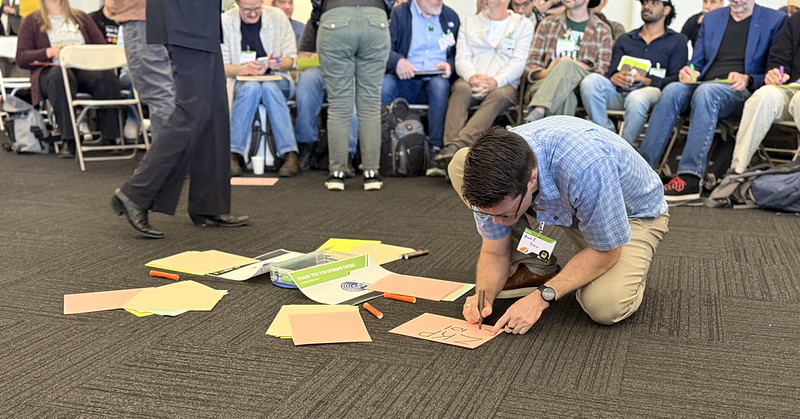
The circle before the crowd (click to enlarge)
Attendance
IIW 42 brought together 287 participants, matching last fall's IIW 41 exactly. That consistency is worth noting. There are lots of identity conferences now and the hype cycle pulls attention in every direction, but the identity community keeps showing up. The number reflects sustained interest in solving real problems. Because that's what IIW offers: space to solve problems. It's a workshop in thr true sense of the word.
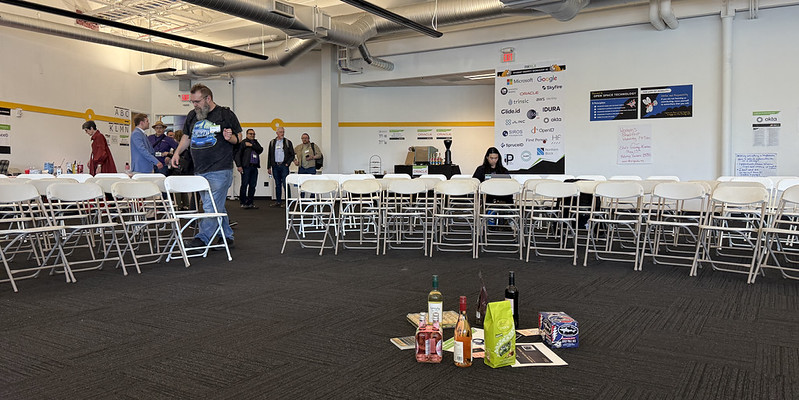
The hallway track (click to enlarge)
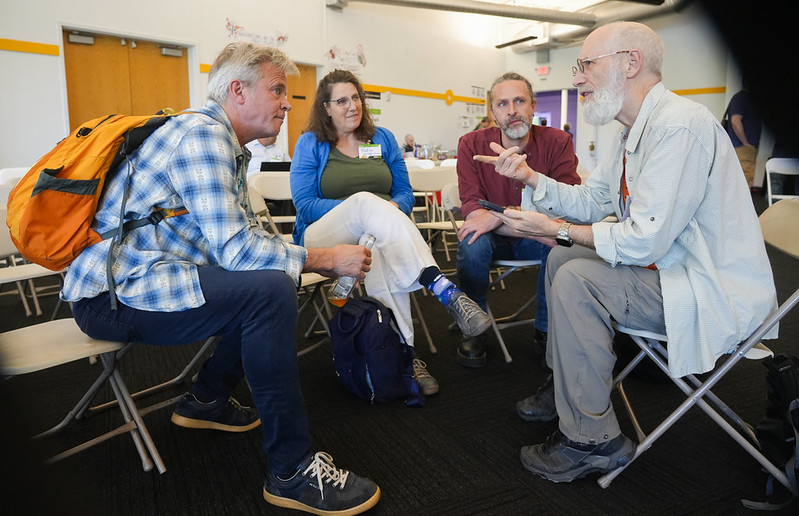
The hallway track was as rich as always. Some of the best conversations at IIW happen between sessions, at lunch, or during the demo hour, where people pull out laptops and show working code rather than slides. One of the reasons that meals are included at IIW is to keep the energy high and the conversations flowing.
Geographic Diversity
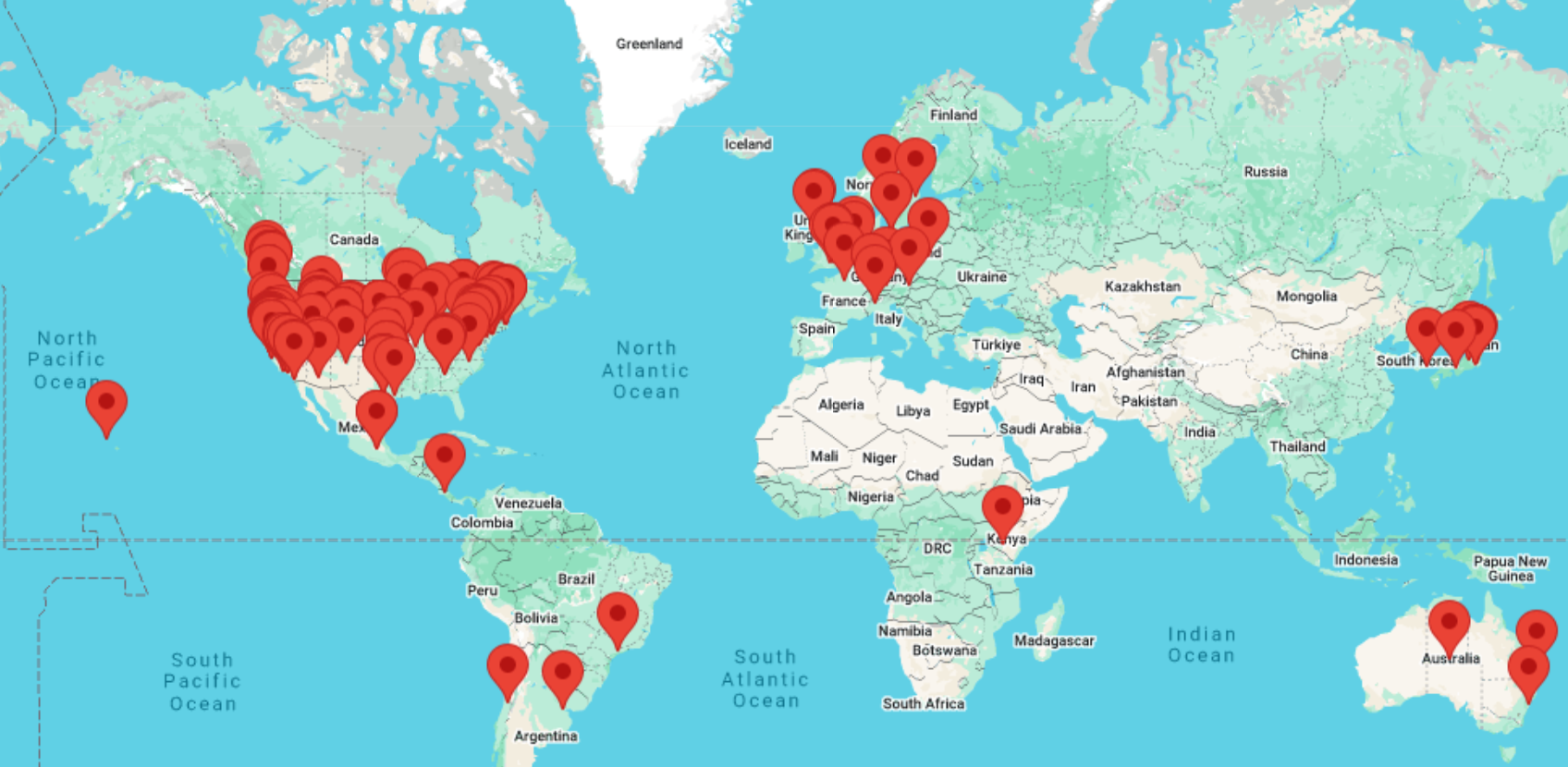
The geographic picture at IIW 42 was familiar in its broad strokes. The United States accounted for 229 of 287 attendees, with California leading the way at 119. San Francisco (19), San Jose (14), and Oakland (8) anchored the Bay Area contingent, while Seattle (7) and Los Angeles (7) rounded out the West Coast presence. Utah contributed 14 attendees, Texas 12, and Massachusetts 12, reflecting the distributed geography of the identity community within the U.S.
Internationally, Japan continued its strong showing with 12 attendees, primarily from Tokyo (9). The United Kingdom sent 7, Canada 5, Switzerland 4 (all from Zurich), Poland 3, and Germany 3. We saw participation from South Korea and several other countries as well. The attendee map tells the story visually: clusters in North America and Europe, with welcome pins in Asia, South America, Africa, and Australia.
I am glad to see the map filling in beyond the usual corridors, but there is still work to do. Identity challenges are global, and the solutions we build at IIW benefit from hearing voices that face different regulatory environments, infrastructure constraints, and cultural expectations. We continue to support IIW-InspiredTM regional events like DID:UNCONF Africa and DICE to extend the conversation. If you know identity builders in underrepresented regions, point them our way.
Welcome dinner at the Shoreline Golf Club (click to enlarge)
One concrete way to help is through the IIW Global Participation Scholarship, which funds travel and registration for attendees from regions that are underrepresented. The scholarship makes a real difference; it brings perspectives into the room that change the quality of the conversation for everyone. If your organization benefits from the work that comes out of IIW, consider sponsoring a scholarship for IIW 43. The identity infrastructure we are building is meant to serve people everywhere; the people building it should reflect that.
Topics and Themes
The agenda at IIW is built fresh each morning. Participants write their session titles on index cards, announce them to the room, and place them on the agenda wall. That emergent structure is one of the things that makes IIW work; the topics reflect what people are actually building, struggling with, and thinking about right now. Here's a recap of what the community brought to the table this time.
Getting ready for Opening Circle (click to enlarge)
SEDI and the duty of loyalty were prominent throughout the workshop. Sam Smith led sessions on KERI/ACDC bulk issuance for SEDI privacy and on cryptographic foundations, while separate conversations explored SEDI's legal framework, its duty of loyalty provision, and how it connects to protocols like MyTerms. As I wrote in Data Protection Missed the Point; Loyalty Gets It Right, the duty of loyalty shifts the basis for regulation from data to the relationship. That idea had real traction in the room, with people working through what it means for implementation, not just theory.
Agentic identity was everywhere. Sessions covered agent taxonomy (what counts as an agent? ephemeral versus persistent?), OAuth for sub-agents, AI agents and open banking, agent storyboarding, and agentic identity credentials. Drummond Reed introduced the Decentralized Trust Graph and First Person Project. Dick Hardt led an AAuth deep dive, exploring his open protocol that gives agents their own cryptographic identity without pre-registration or shared secrets. The question running through all of these was not whether agents need identity; it was how we build identity systems that let agents act on behalf of people without becoming another layer of administrative intermediation. A Dilithium demo showed server-side user-agents operating at speed, and multiple sessions explored how authorization models need to adapt when the entity presenting a credential is not a human but a piece of software acting with delegated authority.
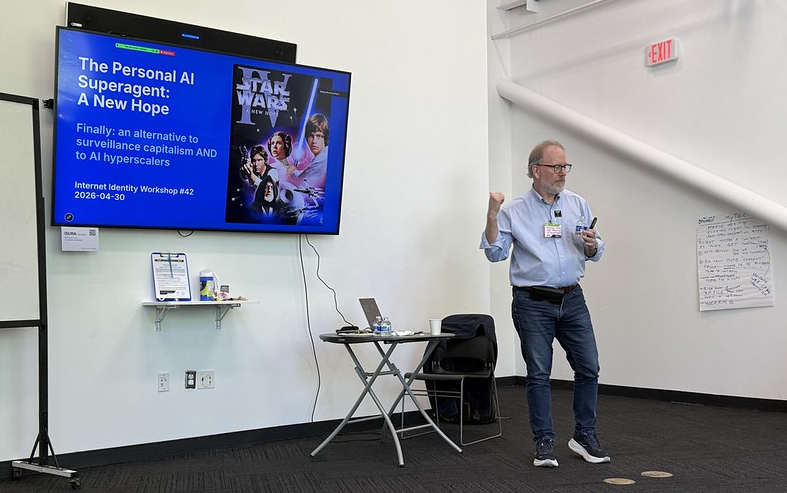
Personal AI Superagent (click to enlarge)
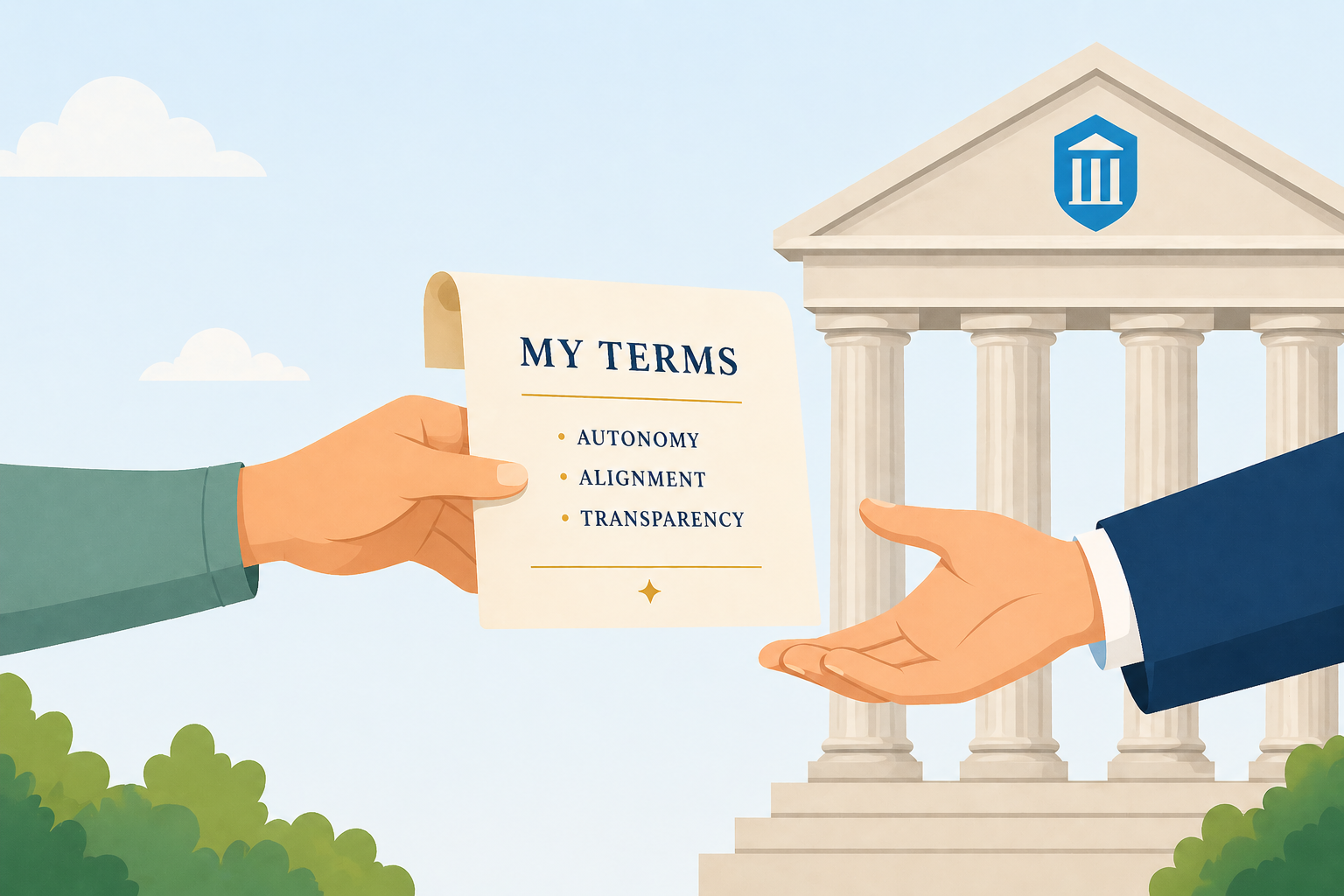
MyTerms, the newly published IEEE 7012 standard, had a strong showing across all three days. Doc Searls led MyTerms 101 and 101.5 sessions, and Iain Henderson ran a session connecting VRM, MyTerms, and fiduciary agents. MyTerms gives individuals a protocol for proposing terms to websites as first parties rather than clicking through adhesion contracts. The connection to SEDI's duty of loyalty—which I explored in a post from VRM Day—was a recurring thread. Together, they start to look like operational infrastructure for digital relationships where people have standing as participants, not just data subjects.
The standards and protocol track was robust. OpenID4VC had sessions covering updates and implementation details, including server-to-server issuance via OpenID4VCI. Aaron Parecki ran OAuth 101 and John Bradley covered FIDO and WebAuthn. The W3C Verifiable Credentials Working Group held a session on its new charter and current work. Frederik Krogsdal Jacobsen ran sessions on formal security verification of specs and on interaction endpoint authorization via first-party apps. Content authenticity also had a visible presence, with sessions on the C2PA standard and the Content Authenticity Working Group (CAWG), plus an originator profile session; as AI-generated content proliferates, provenance is becoming an identity problem whether the identity community planned for it or not. These sessions reflected a community that is past the design and implementation phases and into the details of making things work at scale.
On the cryptographic front, we saw renewed energy around:
Post-quantum readiness—a Dilithium demo and sessions on cryptographic agility showed the community taking the transition seriously, not just talking about it.
Zero-knowledge proofs—ZKP 101 sessions, a ZKP age verification demo, and Sam Smith's session on misapplications of bare signatures and ZKPs for non-ephemeral case proofs.
KERI and GLEIF—Kent Bull ran KERI + did:webs 101 with GLEIF, connecting decentralized key management to real-world organizational identity at scale.
Trust infrastructure surfaced as a theme in its own right. Erica Bjune led a two-part session on trust infrastructure as a public utility. Mike Leahy convened the first Fiduciary Commons session, working from first principles toward law. Joe Andrieu provided a digital fiduciary update. These conversations share a premise: that trust is not just a technical property of a protocol; it is a social and institutional arrangement that needs its own infrastructure. That framing resonates with the broader shift from building identity tools to building identity institutions.
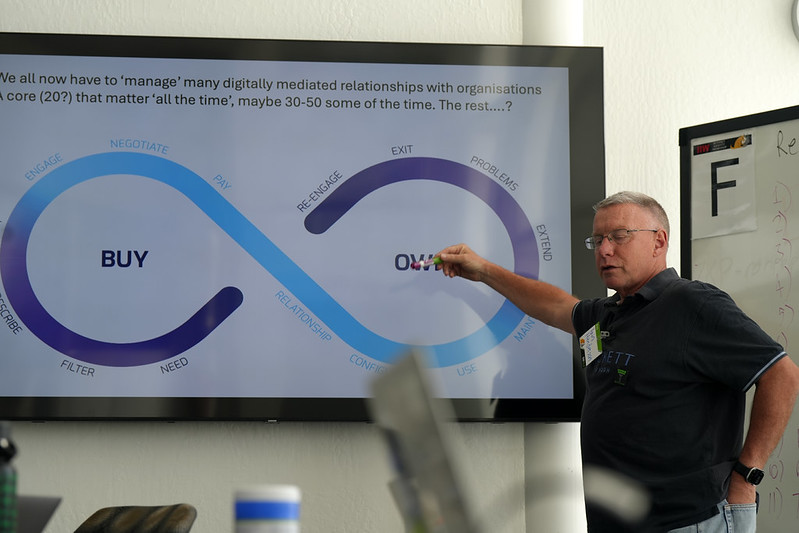
Managing digital relationships (click to enlarge)
The EUDI wallet drew attention with sessions on the German implementation and on wallet-level authentication and authorization. These sessions brought a European regulatory perspective into the room, grounding abstract wallet discussions in the specifics of what member states are actually building.
There were also sessions looking at identity at a more foundational level. Christopher Allen revisited SSI principles for the next decade in his "SSI 10th!" session. Denny Wong asked why personal identity matters in the era of AI. Eric Welton explored cognitive liberty and captive audiences through a First Amendment lens. Dean Saxe and Eve Maler convened a session on death and the digital estate, something that eventually concerns us all. And Wendy Seltzer led a session on identity and geopolitics, reminding us that the infrastructure we build operates within political systems that have their own ideas about who controls identity, a good counterpoint to the SEDI discussions.
The 101 sessions deserve a mention. IIW has always been a place where newcomers can get grounded, and this time the program included introductions to OAuth, OpenID Connect, FIDO/WebAuthn, ZKPs, SSI, OpenID4VC, authorization, and content authenticity. Steve McCown and Omri Gazitt ran particularly well-attended sessions. These 101 tracks are not filler; they are how the community renews itself and ensures that the deep-dive sessions in later slots have a prepared audience.
Demo Hour
One of IIW's distinctive features is the speed demo hour on Wednesday afternoon. Twenty tables, each with a numbered sign, fill the Grand Hall. Each demonstrator gives a five-minute demo, then the audience rotates to the next table. If you're disciplined, you can see 10 of the 20 demos over the course of an hour. It is loud and seemingly chaotic, but it works. Demo hour is about working code and running systems. You can tell a lot about a community by what it chooses to demo.
This time, the demo tables told a clear story: agents have arrived, and the identity community is building the infrastructure to make them trustworthy. Niki Niyikiza showed Tenuo's attenuating authorization tokens that cryptographically narrow an agent's capabilities at each delegation hop. Dick Hardt demoed AAuth, an open protocol giving agents their own cryptographic identity without pre-registration or shared secrets. Kenta Takahashi and Takayuki Suzuki demonstrated Proof of Human Delegation, using biometrics to prove that an agent acts on behalf of a specific person within their stated intent. Ankit Agarwal showed KYAPay, a protocol for agent authentication and tokenized payments. And Alex Olivier and Atul Tulshibagwale demoed a reference implementation of the OpenID AuthZEN MCP Profile for fine-grained, parameter-level authorization before an MCP server executes a tool. The common thread: agents need identity, authorization, and accountability, and those cannot be afterthoughts bolted on later.
Demo hour on Wednesday (click to enlarge)
Wallets and credentials showed up in force. Rob De Feo showed an AI agent completing an age-verified purchase and hiring a car through the EUDI Wallet via OpenID4VP. Jarek Sygitowicz and Flora Frend demonstrated practical EUDI implementations using the Digital Credentials API on iOS and Android with fallback to legacy eIDs. Dmitri Zagidulin showed Freewallet, a free, open-source web wallet for DIDs and verifiable credentials. Christopher Allen demoed XIDs, DID-inspired identifiers built on Gordian Envelope that give holders, rather than issuers, control over what gets revealed through selective disclosure and redaction.
Several demos pushed into new territory. Iain Henderson and Jon Udell showed MyKey combined with MyTerms and XMLUI, connecting decentralized identifiers to privacy terms and a semantic UI framework. David Condrey's WritersProof captured cryptographic proof of human authorship by entangling identity, keystrokes, and timing into an unforgeable hash chain. Mahesh Balan showed MyWellWallet, a patient-owned health wallet using local LLMs and FHIR to give people an intelligent view of their health data without sending it to the cloud. And Deb Bucci demoed an execution-time delegation harness that evaluates whether a delegated action still aligns with a person's intent at the moment it is requested. Twenty tables, twenty teams showing things that did not exist a year ago.
Looking Ahead
Because IIW runs on Open Space, every workshop is a fresh expression of where the community actually is. No program committee selects topics months in advance; the people who show up decide what matters that morning. That is what makes each IIW genuinely new. The topics at IIW 42 reflected a community whose conversations were less about whether the architecture is right and more about how to deploy it, govern it, and make it work for people who will not attend an unconference. SEDI's duty of loyalty, MyTerms, agentic identity, post-quantum readiness, the EUDI wallet: these are implementation challenges now, not research topics. The people in the room are doing the implementation.
Closing Circle and Open Gifting (click to enlarge)
Huge thanks to everyone who convened a session, asked a hard question, showed a demo, or pulled someone into a hallway conversation. That is what makes IIW work, and it has been working for 42 editions now. The book of proceedings will be available soon with session notes, links, and other important details.
Mark your calendars: IIW 43 is November 3–5, 2026, with AIW3 on Friday, November 6. Tickets will be on sale in about a month. Sponsorships are available now. Until then, keep building.
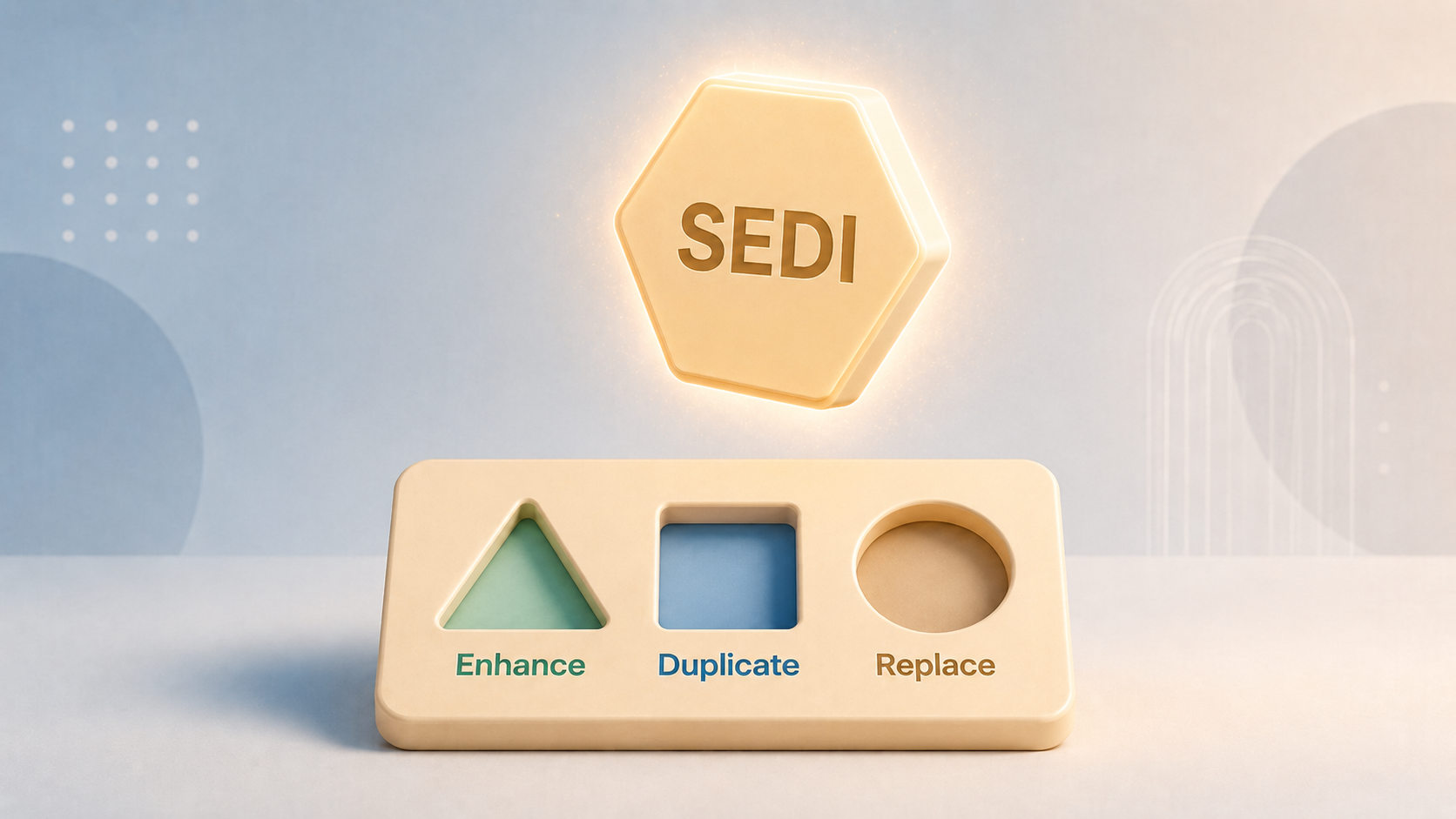
Alan Mayo's latest Identity 2.5 newsletter poses a useful strategic question: when we build digital identity reuse, are we enhancing existing infrastructure, duplicating it, or replacing it? He maps three approaches onto those choices: networked identity enhances, credential/wallet identity duplicates, and decentralized identity replaces. He then places Utah's State-Endorsed Digital Identity (SEDI) squarely in the third category and concludes that networked identity is the obvious, lowest-risk path forward. The framework is a good lens. But his classification of SEDI is wrong.
What Mayo Gets Right
Mayo is right that societies already have digital identity. Government agencies, banks, and healthcare systems hold digital records of who we are; what they issue to us are physical documents and credentials that allow a basic form of identity reuse. The strategic question is not whether to create digital identity but how to let people reuse it effectively. That reframing is valuable because it cuts through a lot of the hype that treats digital identity as something we still need to invent.
He is also right that wallet-based credentials introduce real operational complexity. Lifecycle management, revocation, device binding, recovery, verifier trust, wallet trust, and credential freshness all matter. His critique of naive "just put credentials in a wallet" thinking is fair; a high-assurance identity ecosystem cannot rely on static credentials floating around indefinitely. Utah's own mobile driver's license work already recognizes these problems by emphasizing consent, selective disclosure, anti-tracking, and state-signed credentials under individual control.
And he is right that institutional trust does not disappear. SEDI still needs authoritative issuers, governance, endorsement rules, certification, relying-party accountability, revocation, and legal frameworks. Even the ACLU's analysis of Utah's legislation praises it as a legal and governance framework with important privacy protections, not as magic cryptography that makes institutions irrelevant. None of that goes away in a world with digital credentials. The question is how institutional trust gets expressed and who controls the presentation.
Where the Framework Breaks
Mayo's big mistake is classifying SEDI as "Decentralized Identity" in the purist replacement sense. He characterizes that category as individual-held identity, cryptographic security, self-sovereignty, and no central control. That badly misrepresents first person identity in general and SEDI's architecture in particular. SEDI is not trying to eliminate institutional trust or replace government identity infrastructure. It is a state-endorsed legal and governance framework for digital credentials. The state still verifies, endorses, regulates, and defines duties for participants. That is not anti-institutional decentralization; it is public trust infrastructure with individual control over consent, disclosure, and the terms of the relationship.
He also conflates credential identity and decentralized identity in a way that obscures what SEDI actually does. SEDI is closer to a hybrid: credential-based presentation with state endorsement, legal duties, privacy protections, and governance. It is not simply duplicating current identity infrastructure into wallets, and it is not replacing identity infrastructure with cryptographic self-sovereignty. It sits outside Mayo's three-bucket taxonomy because it combines institutional authority with individual agency in ways his framework does not accommodate.
Mayo overstates the idea that credential systems make every phone wallet "a mini Identity Provider." A wallet is never the authoritative source of identity. Even with self-issued credentials, the authority rests with the individual issuing the credential, not the container. The wallet is a presentation mechanism; the issuer remains authoritative for the claims it signs. The hard problems of binding, revocation, and recovery are real, but they do not turn the wallet into a source of truth. They turn it into a presentation layer, one the individual controls rather than the institution.
He also misses SEDI's most important innovation, and it is not a technical one. SEDI's distinguishing move is law before technology. The point is not that new cryptographic techniques will solve identity. The point is that digital identity needs constitutional principles, fiduciary-like duties, voluntary adoption, non-tracking rules, selective disclosure, and enforceable accountability. As I wrote in A Legal Identity Foundation Isn't Optional, SEDI provides a legal base layer for first person digital trust. The ACLU did not praise Utah's legislation because of its cryptographic architecture; they praised it because it adds civil-liberties protections to digital identity. The duty of loyalty provision places a fiduciary obligation on institutions that rely on a state-endorsed digital identity. That is a governance innovation, not a technology choice.
Networked Identity Is Not the Obvious Answer
Mayo treats networked identity as the obviously practical path, but that model has its own structural weaknesses. A central switch creates a single point of dependency and failure. Online-only availability means the system breaks when the network does. Relying-party accreditation creates bottlenecks that limit who can participate. And a model where every identity transaction runs through a network switch creates inherent opportunities for surveillance, correlation, and gatekeeper control. SEDI is partly a response to exactly those risks.
The Scandinavian BankID systems that Mayo points to work well in small, high-trust societies with strong institutional foundations. They are real accomplishments. But they also concentrate identity infrastructure in banking consortiums, require online connectivity for every transaction, and give the network operator visibility into every authentication event. Those are acceptable tradeoffs in some contexts. They are not acceptable when the policy goal is individual control, minimized disclosure, and resistance to tracking.
Networked identity is also inherently national; each country's BankID is a separate system tied to its own banking consortium. Cross-border use requires additional federation infrastructure that reintroduces much of the complexity Mayo attributes only to credential and decentralized systems. A networked model can be useful for some transactions, but it does not automatically win when the policy goals include individual control, minimal disclosure, offline capability, cross-border portability, and resistance to surveillance.
What SEDI Actually Is
None of this means SEDI is the clean best-of-all-worlds answer. It has its own hard problems: wallet ecosystem maturity, credential lifecycle management, adoption incentives, and the political challenge of getting other states and countries to recognize Utah's framework. Mayo's operational concerns about credential systems apply to SEDI too; they are not magically resolved by putting a legal framework around them.
But SEDI does not fit cleanly into any of Mayo's three buckets, and that is the point. It is better described as state-endorsed, rights-first digital identity reuse. SEDI keeps institutional authority where it belongs: the state still verifies identity, endorses credentials, and defines legal duties for participants. It moves presentation and consent closer to the individual: the person controls what they disclose, to whom, and under what terms. And it wraps the whole system in public-law governance: constitutional principles, a duty of loyalty, voluntary adoption, and enforceable accountability.
That is not "replacing" identity infrastructure. It is not "no central control" or "all power rests with the individual." It is an attempt to join cryptographic trust and legal trust into a public identity foundation. The state provides the endorsement and the legal framework; the individual provides the consent and controls the presentation; the technology provides the mechanism for doing both securely. As I explored in SEDI and Client-Side Identity, this resolves a problem that has plagued digital identity since the 1990s: people will not pay for identity proofing, but they already pay their state government for it without realizing it. SEDI routes around the economic bottleneck that killed client-side certificates.
Mayo's useful contribution is the question itself. But the answer for SEDI is none of the above. SEDI enhances institutional trust by giving it a legal and cryptographic expression that the individual controls. It does not duplicate infrastructure into unsupervised wallets. It does not replace institutional authority with self-sovereign cryptography. It creates a new kind of public trust infrastructure in which the institution, the individual, and the law each carry weight. Getting SEDI's category wrong makes it easy to dismiss. Getting it right means engaging with the harder, more interesting question: what does identity infrastructure look like when it starts from rights and relationships rather than from databases and documents?
I'm sitting in a session at IIW hosted by Sam Smith on the duty of loyalty. Sam made the point that duty of loyalty is fundamentally about the relationship, not the data—and that caught my attention because of my past work on framing identity as being more about relationships than attributes. I have long argued that we build identity systems to manage relationships, not identities.
If that is true, then the way we regulate those systems ought to focus on the relationships too. But most privacy regulation starts with the data instead. GDPR, CCPA, and their descendants define categories of personal information, prescribe what can be collected, require consent for processing, and mandate deletion on request. The regulatory object is the data itself—not the relationship that gives the data meaning. And for all their ambition, data protection regimes have done little besides annoy everyone with cookie consent dialogues; the surveillance business models they were supposed to curtail are doing just fine.
This data-centric focus is not accidental; it reflects a deeper assumption. GDPR and its descendants treat people as data subjects—consumers of services whose information is processed by a controller. The person has rights over their data, but no standing as an independent party in the relationship. They are subjects, not participants.
If you start from first person identity instead, where people have a unique digital existence and are not merely rows in someone else's database, then it's natural to see them as autonomous parties who enter relationships on their own terms. The duty of loyalty follows naturally from that framing.
In their 2022 paper "Legislating Data Loyalty," Hartzog and Richards make a similar argument. The real problem, they say, is not what happens to the data; it is what happens in the relationship between the person who trusts and the institution that holds power. They propose a duty of loyalty—borrowed from fiduciary law—that would prohibit organizations from processing data or designing systems in ways that conflict with the best interests of the people who trust them.
This shifts the focus from procedural compliance around data to substantive obligations within a relationship. The relationship provides the context for the interactions that happen within it; the duty of loyalty informs that context. As I explored in Are Transactional Relationships Enough?, our online relationships are almost all transactional, administered by platforms that make product decisions to monetize the interaction rather than serve the people in it. A duty of loyalty directly addresses that imbalance.
That is exactly what Utah's SEDI legislation does. The duty of loyalty provision in the statute places a fiduciary obligation on institutions that use or rely on a state-endorsed digital identity: they owe loyalty to the person whose identity they hold. This is not a data-handling rule. It is a relationship rule. It says that the institution is not free to use the identity relationship for its own benefit at the expense of the identity holder. As I wrote in A Legal Identity Foundation Isn't Optional, SEDI provides the legal base layer for first-person digital trust. The duty of loyalty is the provision that makes that base layer meaningful; it gives the identity holder standing not as a data subject but as a party in a relationship with enforceable expectations.
The shift matters because data-centric regulation has a structural weakness: it lets institutions comply with the letter of the law while still exploiting the relationship. You can minimize data collection, publish a privacy policy, and offer an opt-out button—and still design systems that manipulate, surveil, and extract value from the people who depend on them.
A duty of loyalty cuts through that. It asks whether the institution is acting in the interest of the person who trusted it, not whether it followed the right procedures with the right categories of data. Importantly, digital relationships are voluntarily entered into by both parties; the institution chooses to accept the identity credential, and the individual chooses to present it. That voluntary entry is what gives the duty of loyalty its legal and moral footing—both sides opted into the relationship, and so both sides are bound by its terms.
As I explored in MyTerms and SEDI's Duty of Loyalty, MyTerms gives this relationship-based obligation concrete, operational rails. Today, the terms governing our online interactions are 60-page contracts of adhesion that no one reads and no one negotiates—unilateral declarations by the institution, take it or leave it. These adhesion contracts are the inevitable product of regulating data rather than relationships; when the law only asks institutions to disclose what they do with data and obtain consent, a take-it-or-leave-it document is all that is required.
A duty of loyalty expressed through MyTerms replaces that with a bilateral contract. The individual's machine-readable terms define what loyalty looks like in a specific interaction; the institution agrees to those terms when it accepts the credential. Both parties hold a record of the agreement. The duty of loyalty gets teeth when there is a protocol for expressing and auditing what the individual expected. SEDI, operationalized through MyTerms, moves us from a world where institutions write the rules and people click "I agree" to one where both parties enter a relationship with mutual obligations and enforceable terms.
I'm at VRM Day before IIW, and the morning's primary topic is MyTerms, the newly published IEEE 7012 standard. MyTerms specifies a protocol for machine-readable personal privacy terms—terms that individuals proffer to websites and services, not the other way around. Both sides keep records of the agreement. The individual is the first party, rather than the second. That inversion matters more than it might seem at first glance; it is first person identity made operational in protocol.
What caught my attention is how naturally MyTerms connects to the duty of loyalty requirement in SEDI. The SEDI legislation places a fiduciary obligation on institutions that use or rely on a state-endorsed digital identity: they owe a duty of loyalty to the person whose identity they are using. That is a powerful legal principle, but it needs a mechanism. How does an individual express what loyalty looks like in a specific interaction? How does the institution know what it has agreed to? MyTerms can answer both questions. The individual's machine-readable terms define the boundaries of the relationship, and both parties hold a record of the agreement. The duty of loyalty gets teeth when there is a concrete, auditable expression of what the individual expected.
There may be details that need to shift to make this work cleanly—MyTerms was not designed with SEDI in mind, and SEDI's duty of loyalty was not written with a specific protocol in view. But the conceptual fit is striking. SEDI provides the legal foundation that gives people standing as first parties; MyTerms gives those first parties a language for saying what they want. One without the other is incomplete. Together, they start to look like the infrastructure for digital relationships where people are not merely data subjects but participants with enforceable expectations.
Every winter semester, I like to sponsor a capstone project for BYU computer science seniors. This year, I worked with five students—Micaela Madariaga, Braydon Lowe, Chance Carr, Charles Butler, and Jayden Hacking—on a project I had been thinking about for a while: building a conversational interface for Manifold. Manifold is a platform built on the pico engine that enables the creation and orchestration of pico-based systems.
Manifold started as a system for putting QR codes—what we call tags—on physical things like your bag, your bike, or even a dog. We called it SquareTag. Each tagged thing gets a pico that stores owner information and can be scanned by anyone who finds it. Over time, we added the ability to install other skills on thing picos, extending what they can do. We even built a connected car platform called Fuse on the same architecture, where each vehicle is a pico with rulesets for tracking fuel usage, maintenance, and trips. Manifold is the general-purpose platform for creating and managing these pico-based systems.
Manifold is powerful, but like any GUI, there are a number of concepts that users have to learn before they can do anything useful. I wanted to know whether a conversational interface could let people interact with Manifold with less friction. The answer turned out to be yes. The team was able to create a usable conversational interface for Manifold that exposes the primary features and makes it easy to use. The interesting part is the architecture that provides a Model Context Protocol (MCP) interface to a constellation of picos and the APIs they expose. That combination separates concerns in a way that gives you a conversational layer without sacrificing the structure and reliability of the underlying system.
Manifold and the Expert Barrier
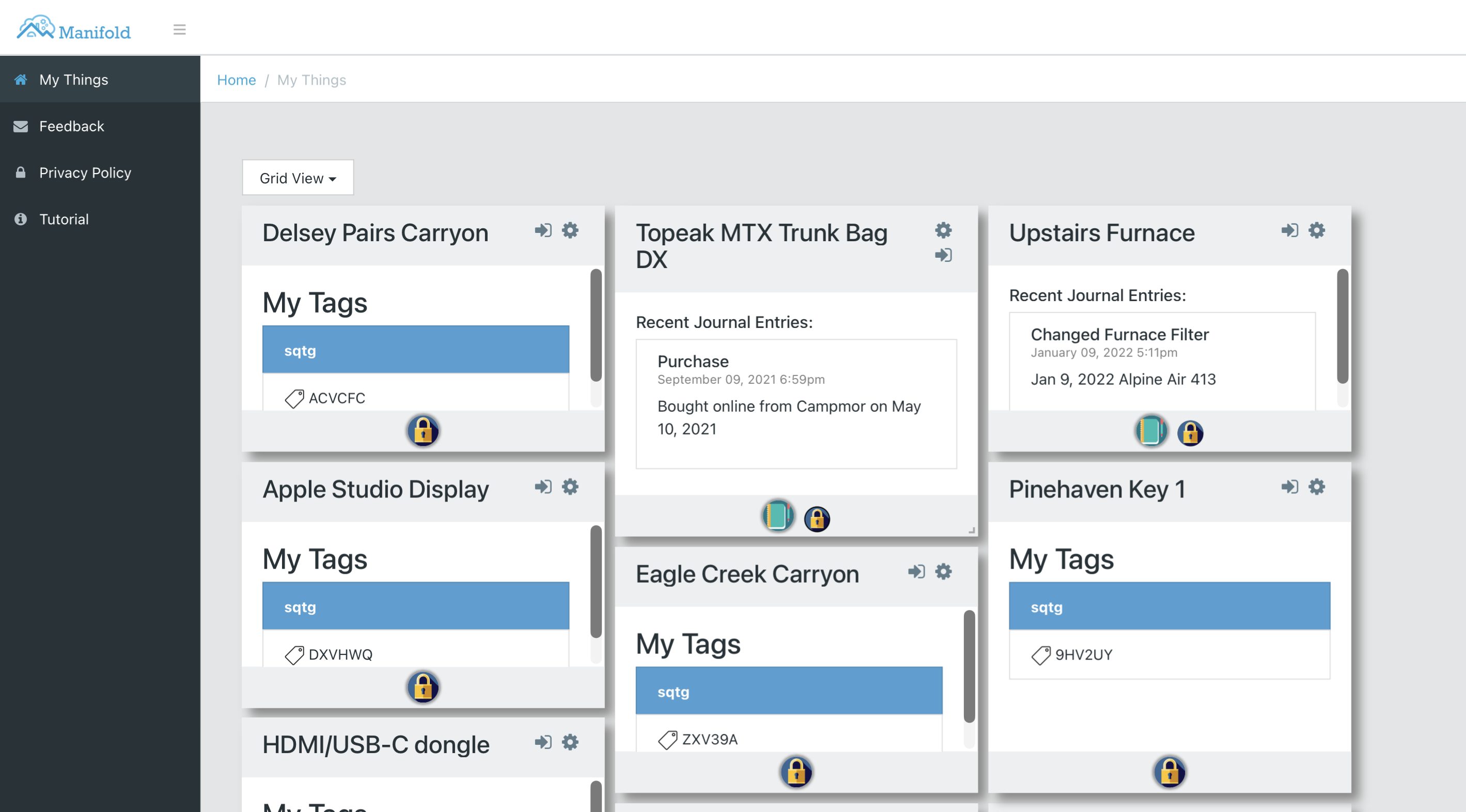
Manifold gives each user a collection of digital representations of physical things. Each of these is represented by a picos. Each thing in Manifold can have tags for physical identification, journal entries for notes, and owner information for recovery. The GUI presents these as a grid of cards, each showing the thing's name, its tags, and recent journal entries:
This works if you already understand the system. You can see that the Delsey carry-on has a SquareTag attached, that the furnace has journal entries tracking filter changes, and that each thing has its own set of installed skills. But creating a new thing, assigning a tag, or adding a journal entry requires navigating through multiple screens and understanding concepts like skills, communities, and tag domains. For someone encountering Manifold for the first time, the GUI is a wall of concepts that have to be learned before anything useful can happen.
That is the gap we wanted to bridge. Instead of requiring users to learn the GUI's mental model, we wanted to let them say "create a thing called Running Shoes" or "add a note to the toy car" and have the system figure out the rest. The question was whether we could build that conversational layer without losing the structure and reliability that makes Manifold useful in the first place.
What Conversational Interfaces Are Really About
The wall-of-concepts problem I just described is not unique to Manifold. It is the fundamental problem with GUIs. Every GUI requires users to learn its particular model of the world before they can accomplish anything: which menu holds the operation they want, what the icons mean, how the screens connect to each other, what has to happen in what order. We have spent decades building GUIs and we have gotten good at it, but the core limitation remains. The user has to learn the tool's language rather than the tool learning theirs.
I think GUIs are dead—at least for most user experiences. Conversational interfaces are not a convenience layer on top of a GUI; they are a replacement for it. A conversational interface is a translation layer between human intent and system behavior. The user says "create a backpack" and the system figures out the rest. The user does not need to know about skills, communities, tag domains, or which screen to navigate to. They just say what they want. The system's capabilities can be discovered and exercised through dialogue rather than through a visual hierarchy that someone had to design and someone else has to learn. Better still, a conversational interface can explain what it is doing and why, teaching users about the system as they use it.
The Architecture
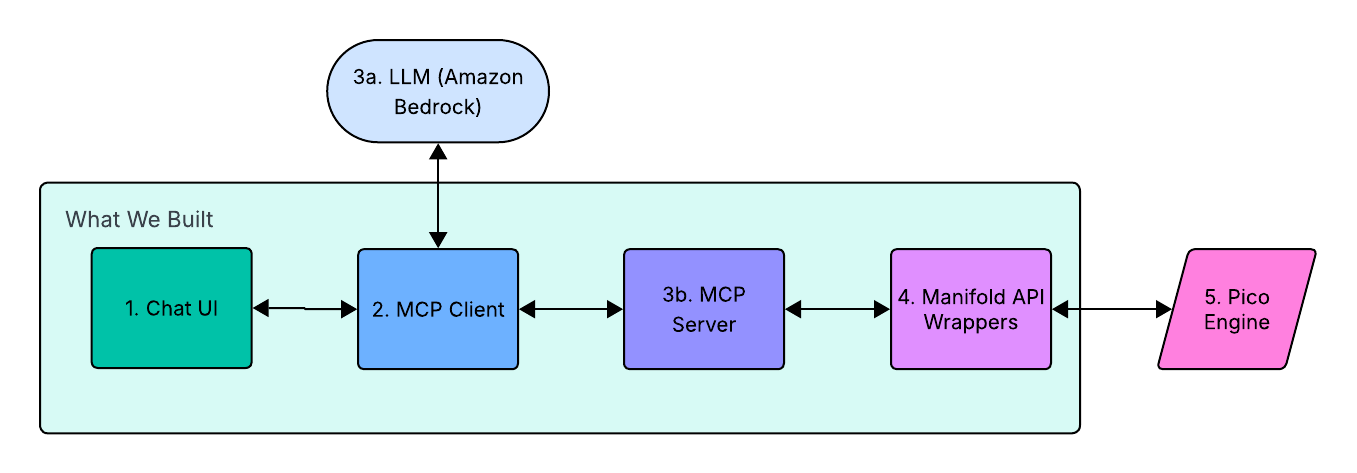
The capstone team designed a pipeline architecture that has six components. The diagram shows what the team built (the green boundary) and the two external services it connects. The code is on GitHub.
Chat UI (1) — A React frontend that handles user interaction and displays responses. It connects to the MCP Client via Socket.io for real-time status updates during tool execution.
MCP Client (2) — The central coordinator. It receives user messages from the Chat UI, packages them with available tool definitions, and sends them to the LLM. When the LLM returns a tool-call instruction, the MCP Client routes it to the MCP Server for execution.
LLM (3a) — Claude, accessed via Amazon Bedrock. This sits outside the team's code. It examines the available tools, interprets the user's intent, and returns structured JSON instructions specifying which tool to call and with what arguments.
MCP Server (3b) — Exposes system capabilities as callable tools with JSON Schema definitions. Each tool maps to a specific KRL operation. The server communicates with the client over stdio, a standard MCP transport that keeps things simple.
Manifold API Wrappers (4) — Translates MCP tool calls into HTTP requests to the pico engine, using a uniform JSON envelope for both raising events and making queries to the right pico.
Pico Engine (5) — Also outside the team's code. It supports the execution of KRL rules and functions inside the pico constellation representing the owner's things. This is where the actual work happens.
Each component in this architecture does one thing. The LLM handles intent and language. MCP structures that intent into well-defined tool calls. The API wrappers translate those calls into pico engine operations. The pico engine executes them reliably. No single component needs to understand the full stack, and the team's code is cleanly bounded between the two services it connects.
How a Request Flows Through the System
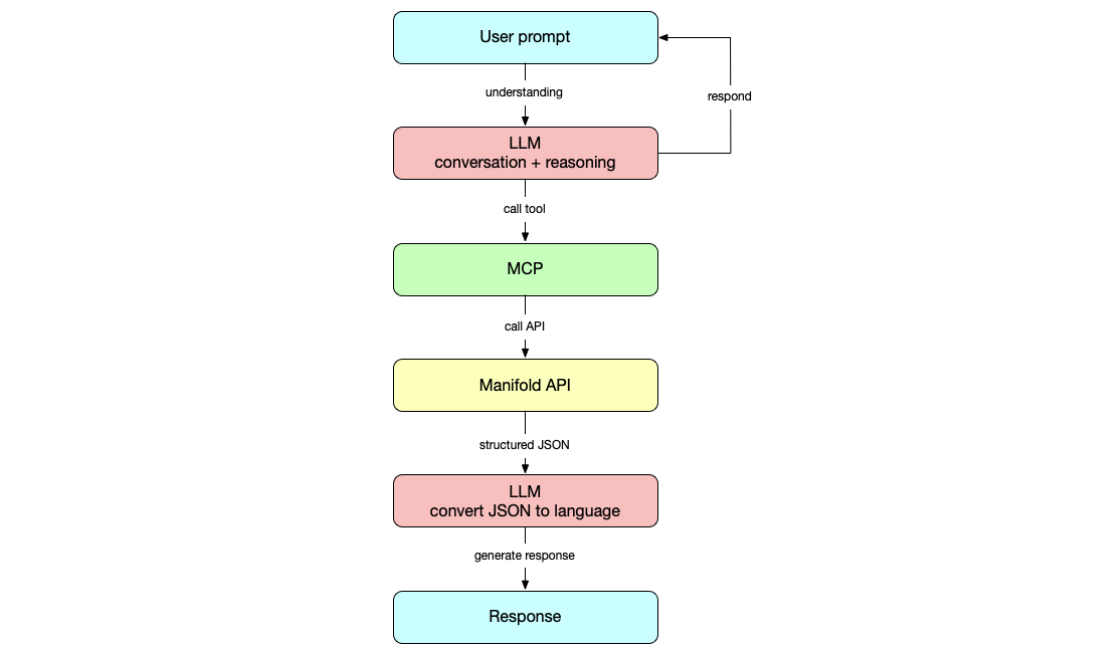
Consider what happens when a user types "create a backpack" into the chat interface. The diagram shows the full request lifecycle:
The user's prompt goes to the LLM, which reasons about the intent and determines that it needs to call a tool. MCP translates that into a structured tool call—in this case, manifold_create_thing with the argument name: "Backpack". The tool call hits the Manifold API wrappers, which send the appropriate request to the pico engine. The engine returns structured JSON, which flows back to the LLM. The LLM converts the result into natural language and generates a response for the user. Notice that the LLM appears twice: first to understand intent and select a tool, then to convert the structured result into a human-readable reply.
The round trip takes a few seconds. From the user's perspective, they asked for a backpack and got one. From the system's perspective, the engine executed a rule inside the right pico with the right attributes, validated at every layer. Both views are accurate; the architecture just makes them compatible.
The Uniform Envelope
One design decision worth highlighting is the uniform JSON envelope the team created for all pico engine calls. Picos support two kinds of operations: queries (read state) and events (change state). Rather than handling these differently throughout the stack, the team built an adapter that normalizes both into a single request/response shape. Note the eci field in the envelope: that is the Event Channel Identifier, which identifies the specific pico representing the thing that the operation is being performed on.
This is a small thing that makes a big difference. Every tool in the MCP server returns a response with the same shape. Error handling follows the same pattern regardless of whether the underlying operation was a query or an event. The LLM sees consistent results, which makes its responses more predictable. Uniformity at this layer reduces complexity everywhere above it.
Skill Gating
One of the distinctive features of picos is that new functionality can be installed at runtime by adding KRL rulesets. Every Manifold pico comes with the safeandmine ruleset installed by default, which handles tagging and owner information. Other rulesets, like journal for notes, are installed on demand. Each ruleset brings its own API—new events it can handle, new queries it can answer. This is powerful, but it makes building a conversational interface harder because the set of available operations is not fixed. It changes per pico, and it can change during a conversation.
The team handled this by building a skill-gating system that dynamically controls which MCP tools the LLM can see, based on the rulesets installed on the current pico. If a pico does not have the journal ruleset installed, the LLM never sees the addNote or getNote tools. This prevents the LLM from attempting operations that would fail, and it creates a natural conversational flow around capability discovery. If a user asks to add a note to a pico that lacks the journal skill, the system explains what is missing and asks permission to install it. The interaction feels natural because the architecture supports it; the LLM is not guessing about what is possible.
Prompt Engineering as Interface Design
The team went through multiple iterations of their system prompt before arriving at something that worked well. As they describe in their prompt design document, the prompt is not just instruction text; it is a control surface for live conversational behavior. It constrains response length to 1-3 sentences for demo readability. It enforces skill-gating in the prompt itself, not just in code, so the LLM explains missing prerequisites and asks permission before installing new capabilities. It tracks a "last used thing" so users can say "tag it" or "rename that" without repeating themselves. It requires explicit confirmation before destructive actions like deleting a pico—a trust pattern as much as a safety pattern, demonstrating that the system can act powerfully but only after checking intent.
These are interface design decisions expressed in natural language rather than code. The team documented their rationale carefully: earlier versions produced responses that were too long, attempted skill-dependent actions without checking installed skills first, and drifted into heavy Markdown formatting that looked out of place in a minimal chat UI. Each iteration tightened the prompt based on observed failures. This iterative approach to prompt engineering mirrors how good interface design works generally. You watch people use it, see where it breaks, and fix the interaction, not just the code.
What Worked and What Didn't
The core architecture works well. A user can create, rename, and delete digital things; organize them into communities; assign physical tags; and add journal notes—all through natural conversation. The layered design means each component can be tested and reasoned about independently. The MCP server has a clean test suite. The uniform envelope makes debugging straightforward because every response has the same shape.
The hardest part, according to the team's lessons learned document, was building the API wrappers. The pico engine endpoints were easy to identify through browser network monitoring, but getting the POST request requirements right and bridging the gap between natural language and the API's expected data formats took significant effort. Debugging was also difficult because the LLM's error messages were vague; the team had to use a separate MCP Inspector to diagnose problems at the tool layer.
LLM hallucination was an ongoing challenge. After hundreds of similar create, edit, and delete operations accumulated in the conversation context, the model's accuracy degraded. The team identified context management—flushing old interactions and keeping the context window focused—as a key area for improvement. They also noted that local testing came late in the development process; earlier access to a local environment would have reduced the noise in the shared context.
What This Means
This project demonstrates something I have believed for a long time: the best technology emerges from solving real problems iteratively rather than from grand design. The students did not start with a theory about conversational interfaces. They started with a concrete problem—Manifold is hard to use if you do not already know how it works—and built their way to a solution that has broader implications.
The combination of MCP and picos is particularly compelling because it plays to the strengths of each component. MCP gives the LLM a structured way to interact with external systems; the model does not need to generate raw API calls or guess at endpoint formats. Picos provide a decentralized, event-driven runtime where each entity maintains its own state and communicates via events. The LLM does not need to understand that architecture. It just needs to know which tools are available and what arguments they take. MCP handles the rest.
The biggest open question is portability. Right now, the system requires hand-written API wrappers for each set of pico engine operations. One of the capstone judges suggested that a more portable approach would generate the necessary tool definitions and wrapper functions from a provided set of API specifications. That would let you point this architecture at any service, not just Manifold. I think that is exactly the right next step, and it is the kind of insight that comes from building something real and showing it to smart people.
I have been building pico-based systems for nearly two decades, and they remain the most interesting technology I have worked on. I've been teaching students at BYU for even longer. This project brought those two things together in a way that was genuinely fun. Micaela, Braydon, Chance, Charles, and Jayden took a system I care about deeply and made it more accessible by building something I had dreamed of creating. That is what working with students does: they see possibilities you have stopped looking for because you are too close to the problem. I am grateful for their work and excited to see where it leads.
Photo Credit: Manifold tag from Manifold (used with permission)
This post is part of a series on using dynamic authorization to control and coordinate AI agents. See the series recap to find other posts in this series.
Suppose you ask an agent to summarize a set of documents and then email the summary to a group. You might be comfortable granting the agent access to your email for that purpose, but only after the summary has been completed and reviewed. If the agent can access your email too early, sensitive information from your inbox could leak into the task. In agent systems, authorization is not only about what actions are permitted. It is also about when they are permitted.
That makes sequencing an authorization problem, not just a workflow problem. Agents do not simply perform isolated actions. They execute plans, accumulate context, revise their strategies, and sometimes coordinate with other agents or people. A permission that is safe at one point in a task may be unsafe at another. The challenge is to ensure that authority unfolds in the right order and only under the right conditions.
Why sequencing matters
Traditional authorization systems are good at answering questions like "Can this principal read this file?" or "Can this service call this API?" Agent systems introduce a different question: "Can this principal take this action now, given what has already happened?" In other words, authorization must constrain the path, not just the destination.
Consider a few examples:
An agent migrating records between systems needs to verify the backup completed successfully before it begins deleting records from the source. If it starts deleting before the backup is confirmed, data loss is irreversible.
A research agent gathering information from multiple sources needs to finish collecting and cross-referencing before it synthesizes a summary. Starting the summary too early means drawing conclusions from incomplete data and then anchoring on them.
A deployment agent rolling out a new service version needs to confirm the canary deployment is healthy before it proceeds to full rollout. Granting it permission for the full rollout from the start means a bad canary could cascade.
A triage agent classifies incoming support tickets and routes them to specialized agents. The specialized agent should not begin work until triage is complete and the right context is attached. Acting on incomplete classification means acting on wrong information.
A code review agent runs a test suite against a proposed change. It needs to finish the tests before posting a review summary. A partial summary while tests are still running could greenlight a broken build.
An agent gathers invoices and calculates reimbursement totals. It should not initiate payment until a manager approves the request.
An incident response agent collects logs and diagnoses the problem, but restarting production systems requires an engineer to sign off on the plan.
In each case, the question is not whether the action is allowed in the abstract. It is whether the action is allowed at this point in the workflow and under these conditions.
Sequencing through policy
One way to handle sequencing is through policy. In this model, the authorization request includes contextual attributes that represent the task's current state, allowing policy to determine whether the next action is permitted. Consider the data migration example: an agent should not delete source records until the backup is confirmed. Here's a pseudocode policy that enforces that:
permit delete_source_records
when backup_status == "verified";
This approach works well for recurring workflows and institutional rules. Because the sequencing logic lives in policy rather than in agent behavior, operators can inspect and update it independently. In effect, the system says: these actions are forbidden until the required conditions are met.
Sequencing through delegation data
Another approach is to model sequencing as evolving delegated authority. Instead of encoding every possible sequence in durable policy, the system issues task-specific authority at each stage. The agent starts with a limited capability set, and additional permissions become available only when the prior stage has completed successfully. In this model, authority changes as the task progresses.
Consider a deployment agent rolling out a new service version. The agent initially receives a capability token scoped to the canary environment. Only after the canary passes health checks does the monitoring system issue a new token authorizing full rollout. A policy evaluates delegation data like this:
This is especially useful for one-off or highly contextual tasks. Every deployment targets a different service and version; writing a durable policy for each one would be impractical. The delegation data carries the specifics while the policy enforces the pattern.
In this sense, sequencing can be handled either as policy as code or as policy as data. Durable institutional workflows are often best expressed in policy. Temporary, task-specific sequencing can often be handled through delegation data evaluated by policy at runtime.
Adding multi-signature approval
Sequencing alone is not enough. Some workflows also require multi-signature approval: a human or another trusted actor explicitly authorizes the next step before the agent can proceed.
Consider a financial reimbursement agent. The agent might gather receipts and produce a reimbursement summary, but it should not initiate payment until a manager approves the request. Or consider an incident response agent that identifies a remediation plan but cannot execute it until an SRE signs off. In these cases, the authorized trajectory includes both ordered steps and approval conditions. This can also be expressed through policy:
permit reimbursement_pay
when summary_status == "complete"
  && approvals.contains("manager_approved");
Or it can be modeled through delegation data, where the approving party issues a credential or capability indicating that the next stage is authorized. Authority is not granted all at once; it unfolds over time and across actors.
Hybrid models
In practice, most real systems will combine these approaches. High-level sequencing rules may be defined in policy, while task-specific permissions are carried in delegation records or approval credentials. A workflow might require that every payment be approved by policy, but use task-specific delegation data to determine which specific invoice, amount, and recipient are in scope.
This is another example of why the distinction between policy as code and policy as data matters. They are not competing ideas. They are complementary tools for shaping how authority is granted, constrained, and evolved in dynamic systems.
Authorized trajectories
Agents do not just need authorization boundaries. They need authorized trajectories. We need to govern not only the actions an agent may take, but the order in which it may take them and the approvals required along the way.
As agents become more capable, safety will depend less on static permission sets and more on our ability to shape how authority unfolds over time. This is not a narrow technical point. The people whose data, money, and reputations are at stake deserve systems where authority is earned step by step, not handed over in bulk. Governing the path an agent takes is how we keep humans in control of the systems that act on their behalf.
Over the past few months, I've been exploring a central question in agentic AI: how autonomous systems can be useful without becoming ungovernable. Taken together, these essays trace a progression from the basic insight that authorization is the hard problem, through practical patterns for putting policy inside the agent loop, shaping plans with constraints, governing actions with externalized policy, and finally thinking about delegation both within and across domains.
Why Authorization Is the Hard Problem in Agentic AI — This post lays the foundation for the whole series by arguing that static authorization breaks down in agentic systems. Agents act over time, under changing conditions, so authorization has to become dynamic, continuous, and policy-based, guiding behavior step by step rather than simply approving or denying a request once.
A Policy-Aware Agent Loop with Cedar and OpenClaw — This post moves authorization into the heart of the agent loop itself. Instead of treating access control as a one-time check, it shows how a Cedar-backed decision point can continuously evaluate tool use and feed results back into replanning, making authorization part of the agent's ongoing reasoning.
Beyond Denial: Using Policy Constraints to Guide OpenClaw Planning — Traditional authorization often acts as a gate that says "no" after an agent has already decided what to do. This essay explores a better pattern: giving the agent policy constraints up front so it can plan within allowed boundaries while still having every concrete action enforced at runtime.
Childproofing the Control Plane: Using Cedar to Build Frontal Lobes for Agentic Systems — Connecting an agent to real systems like Home Assistant makes the value of agentic AI obvious, but it also makes the risks obvious. This post explains how externalized, deterministic Cedar policies can provide the governance layer that keeps an agent useful while preventing it from crossing safety, security, and privacy boundaries.
Delegation as Data: Applying Cedar Policies to OpenClaw Subagents — Here I show how delegation inside a single domain can be modeled as data rather than hard-coded logic. In the OpenClaw and Cedar demo, a stable policy set evaluates dynamic delegation records so subagents can be given narrowly scoped authority without expanding the overall trust boundary.
Cross-Domain Delegation in a Society of Agents — This post argues that cross-domain delegation is about more than handing one agent a credential. For delegation to work across organizational boundaries, agents need policy-defined limits, promises that communicate intended behavior, and reputation that creates trust over time.
It's Not Just What Agents Can Do...It's When They Can Do It! — This post explores sequencing as an authorization problem. Agents execute plans where the safety of each step depends on what has already happened, so authorization must constrain the path, not just the destination. It shows how policy, delegation data, and multi-signature approval can govern the order in which agents receive authority.
What ties these posts together is the idea that agentic AI needs governance that is as dynamic as the agents themselves. If we want agents that can plan, delegate, and act in the real world, then policy has to move from the edge of the system into its core, shaping behavior continuously and making autonomy governable rather than merely powerful.
Sankarshan's recent essay on the "proof gap" makes an important point: our verification systems were built for a world where institutions speak and people wait. Facts about us—our education, employment, licenses, benefits, and status—are held by institutions. When proof is needed, we usually cannot present it directly in a form that machines can independently verify. We have to ask each institution, one at a time, to confirm what is already known to be true.
That model made sense when verification depended on human intermediaries. It makes far less sense in a world of cryptography, digital credentials, and autonomous agents acting at machine speed. Portable, machine-verifiable credentials offer a way forward. But the essay also points, perhaps unintentionally, to something deeper: if we want this infrastructure to work at scale, we need more than better credentials. We need a legal foundation for first-person digital trust.
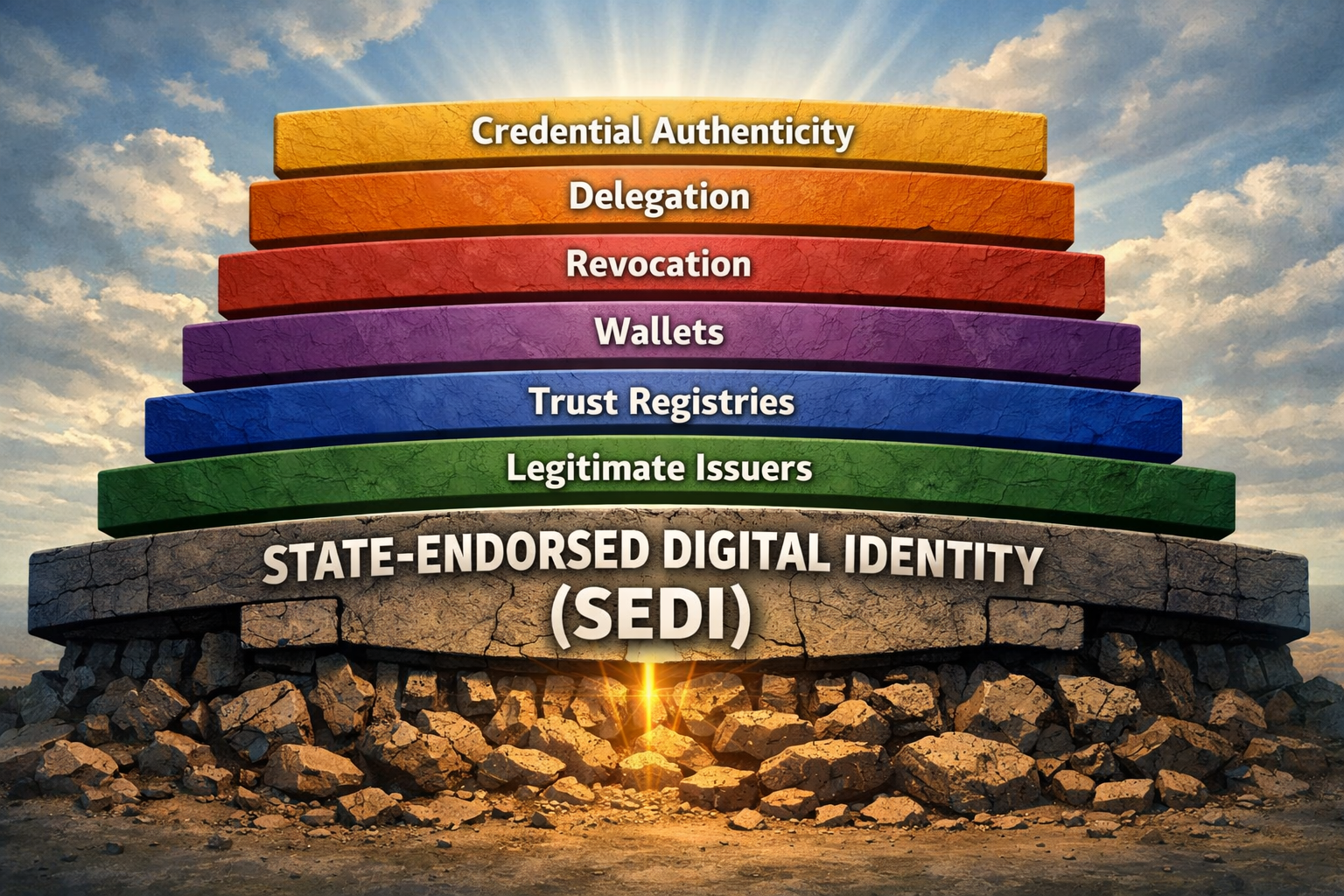
The essay describes a stack of capabilities required to close the proof gap: credential authenticity, legitimate issuers, trust registries, wallets, revocation, delegation, governance, and accountability. Each layer matters. None is sufficient by itself.
But there is a foundational layer beneath all of them: the legally recognized digital identity of the person who holds and presents the proof. Credentials do not exist in the abstract. They are issued to someone. Delegation chains eventually terminate in a principal. Liability and recourse depend on identifying who has standing to dispute an error, challenge a revocation, or authorize an agent to act.
Those are not merely technical questions. They are legal and institutional ones.
The proof gap is also a governance gap
The proof gap is sometimes framed as a failure to adopt modern cryptography. That is true as far as it goes. But the larger failure is one of governance. Private-sector trust frameworks can define accreditation rules, operating standards, and interoperability patterns. They can help institutions trust one another. They can even support impressive technical ecosystems.
What they cannot do on their own is create the public foundations that real digital infrastructure requires: legally recognized assurance levels, enforceable rights to receive credentials, due process around suspension or revocation, standing in administrative and judicial processes, and public accountability when identity systems fail. Those are functions of law and public governance, not just market coordination.
Why SEDI Matters
SEDI is often described as a credentialing initiative, but its real significance is architectural. It provides a publicly governed foundation for first-person digital trust. It gives people a durable, state-endorsed digital identity that can receive, hold, and present credentials across domains.
This does not replace institutional authority. Universities still issue degrees. Licensing boards still grant licenses. Employers still attest employment. Hospitals still issue records and treatment information. But SEDI gives those credentials a legally meaningful home in the hands of the person they describe.
That matters because infrastructure built only on private trust frameworks remains incomplete. It can create islands of interoperability. It cannot, by itself, create broad legal recognition.
SEDI provides what private trust frameworks cannot
First, SEDI establishes a recognized digital principal. In any credential ecosystem, someone has to be the holder of proof. That holder must be identifiable in a way that relying parties can understand and that public institutions can honor. SEDI provides that basis.
Second, SEDI provides legal standing and recourse. One of the essay's strongest observations is that when institutional systems make errors, individuals are forced to navigate the, often manual, correction process one institution at a time. A public identity foundation can give people enforceable rights to obtain credentials, require institutions to correct errors, provide real avenues for appeal, and make accountability clear when official data is wrong. Private trust frameworks can govern these things in their sphere of influece, but public frameworks can require them universally.
Third, SEDI provides continuity across sectors. Education, healthcare, financial services, licensing, and benefits will each have their own trust frameworks and governing authorities. SEDI does not flatten those differences. It gives them a common way to relate to the person at the center of the transaction.
Fourth, SEDI strengthens accountability in an agentic economy. If software agents are going to act on behalf of people and organizations, delegation must begin with a principal who is legally and institutionally legible. A state-endorsed identity layer makes that possible. Without it, delegation risks becoming a private contractual patchwork, platform-specific, opaque, and difficult to audit when things go wrong.
Infrastructure Is Not Just Technical
It is tempting to focus on credential formats, wallet protocols, or trust registry design. Those are important. But they are not the hardest part and are, in fact, mostly solved problems. The harder question is who governs the system, who has authority to issue and revoke, what rights people have, and what happens when the system fails.
That is why SEDI matters so much. It does not compete with credential ecosystems. It underwrites them. It provides the legal and governance substrate that allows portable proof to become real infrastructure rather than a collection of disconnected technical projects.
Fix proof before agents scale
The essay is right to emphasize urgency. AI agents increase the volume and speed of verification beyond anything human-mediated systems can handle. At the same time, generative AI makes unsigned digital artifacts easier to forge and harder to trust. These pressures make the proof gap impossible to ignore.
But closing that gap will require more than cryptographic credentials. It will require a foundation that lets people hold proof, present proof, delegate authority, and challenge errors as recognized participants in digital society.
That is why SEDI is not optional. If we want portable proof to work across markets, institutions, and agentic systems, then a publicly governed legal identity foundation is not an added feature. It is the base layer.
Fix proof before agents scale. And base it on foundations strong enough to carry the weight of law, accountability, and trust. Portable proof requires a legal identity foundation.
The debate over the SAVE Act is often framed as a question of election security or voter fraud. But at its core, the legislation is trying to solve an identity problem without fixing the country's identity infrastructure. After more than two decades working on digital identity in government and industry, including serving as CIO for the State of Utah and participating in the Lieutenant Governor's voting equipment selection committee, I've learned that policies that depend on identity assurance cannot succeed unless the underlying identity system is designed to support them.
The central flaw in the SAVE Act is architectural. It assumes the United States already has a reliable, universal way to establish who someone is and whether they are eligible to vote. We do not.
America's Identity System Is Fragmented by Design
The United States has never adopted a national identity card. This reflects deeply rooted concerns about federal power, surveillance, individual autonomy, and the constitutional role of states. Unlike many other democracies, the U.S. has historically chosen a decentralized approach to identity.
The result is a patchwork of credentials issued for unrelated purposes such as driver's licenses, birth certificates, passports, and Social Security numbers. None of these were designed to function as a universal proof of identity or citizenship across all contexts.
The SAVE Act effectively attempts to turn this patchwork into a national identity system by requiring documentary proof. But that is not what these credentials were built for.
Documentary Requirements Create Real Barriers
When legislation relies on physical or legacy documents to establish voter eligibility, it introduces friction that falls unevenly across the population.
Some eligible voters do not have ready access to birth certificates or passports. Obtaining them can require time, travel, and fees. Election officials may be placed in the difficult position of evaluating decades-old records or interpreting variations in documentation standards across states and eras. Imagine expecting a county clerk to confidently validate a seventy-year-old birth certificate and ensure it belongs to the person presenting it.
These are not edge cases. They are predictable outcomes of relying on identity artifacts rather than identity infrastructure. The result is increased administrative burden, inconsistent implementation, and a heightened risk of disenfranchising legitimate voters.
Identity Infrastructure Comes Before Identity Policy
If policymakers believe stronger identity assurance is necessary for elections, the logical response is not to impose new documentary requirements. It is to invest in modern identity infrastructure.
Such a system would need to be:
Universal, available to every eligible American
Free, so that access to democratic participation is not conditioned on ability to pay
Federated, respecting the constitutional role of states
Privacy-preserving, minimizing unnecessary data collection and surveillance risks
Interoperable, so eligibility can be verified consistently across jurisdictions
Building this kind of system takes time, money, and sustained coordination. There are no quick legislative fixes that can substitute for foundational infrastructure.
Emerging Models Show What's Possible
There are already efforts underway that illustrate how a more modern identity approach could work.
For example, Utah has begun exploring state-endorsed digital identity (SEDI), a federated model in which states play a central role in endorsing digital credentials that can be used across multiple contexts. While initiatives like this are still evolving and raise important policy questions—including cost, governance, and accessibility—they demonstrate that it is possible to rethink identity in ways that respect federalism while improving assurance and usability.
The key point is not that any current program is ready to serve as a nationwide voting credential. It is that meaningful progress requires architectural thinking about identity itself, rather than procedural requirements layered on top of legacy documents.
There Are No Magic Band-Aids
The SAVE Act reflects a familiar impulse in public policy: when confidence in a system declines, add verification steps. But when those steps depend on infrastructure that does not exist, they risk creating new problems without solving the original one.
If the United States believes its elections require stronger identity assurance, then the country must be willing to build an identity system that is universal, equitable, and fit for purpose.
Until then, measures that increase the likelihood of disenfranchising eligible voters in the name of security are not a durable solution.